If you are serious about succeeding in the online marketing world, having your own domain name is vital to brand your website. When I first started out, I procrastinated to create my own domain name as it seemed to be complicated and I didn’t know the benefits of getting one. I was not sure where to purchase a domain name or what makes a good name. Today I would like to smooth out this step for you. I want to show you how to purchase domain names and how easy it actually is so that you won’t delay branding your business like I did!
Why Do I Need a Domain Name Anyway?
While you are still attempting to shape your website, it is ok to do it on a free website builder that has a subdomain as the one I have below. This is my test site and I do not intend to get it ranked or anything, so I am going to leave it as is.
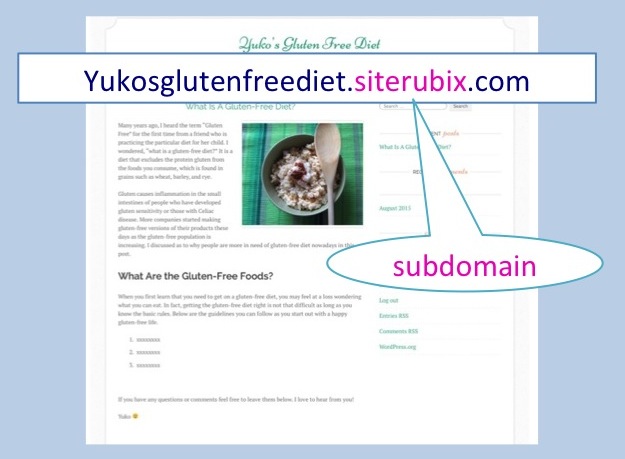
If you are planning on making a successful online business, however, you need to consider getting your personal domain name as it does affect your site recognition as well as SEO.
Here are the benefits of a domain name:
- Helps to brand your site
- Shows that you are a serious online entrepreneur
- Adds integrity and trust to your website
- It is easier for your visitors to remember the site address
- Pages from a domain site tend to get better search engine rankings than free sites (subdomains)
- Helps with ranking even better if you have keywords in the domain name
- Allows you to make an email address with your domain name (name@yourwebsite.com)
Where Can I Purchase a Domain Name and How Much Is It?
There are lots of places you can buy domain names. HostGator, 1&1 Domain Names, GoDaddy, and Namecheap are just a few examples. Below is the GoDaddy homepage where you can check the availability of certain domains.
Domain names are something that you own. Either it’s “.com” “.org” or “.net” once it’s taken you can no longer buy it. So, you first have to check if the domain name you have in mind is still available. In fact, shorter and easy-to-remember domain names are being reserved everyday, at the rate of one domain name every 5 seconds!
Ideally you want a “.com” domain. The second best is “.org.” Any other ones such as “.net” or “.info” would not aid your ranking as well. So I recommend you to focus on “.com” or “.org” for better branding of your site.
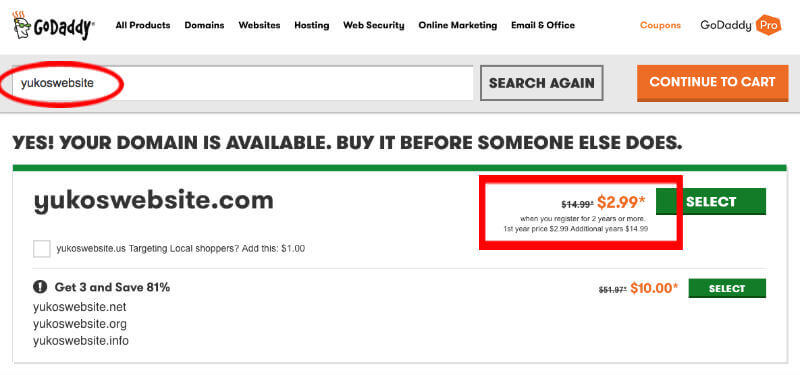
I typed in “yukoswebsite” in the search bar at GoDaddy just to see if it’s available with “.com” and luckily, it is. 🙂 The result shows that the price is $2.99 for the first two years and $14.99 every year after that.
I prefer to purchase my domain names at Namecheap since the buying process is very quick and easy. They don’t have a lot of upsells in the process, which can be quite irritating. Besides, they tend to have a very good propagation time, meaning that once you set the domain to point over to your web hosting it starts working quickly, within 5-10 minutes normally.
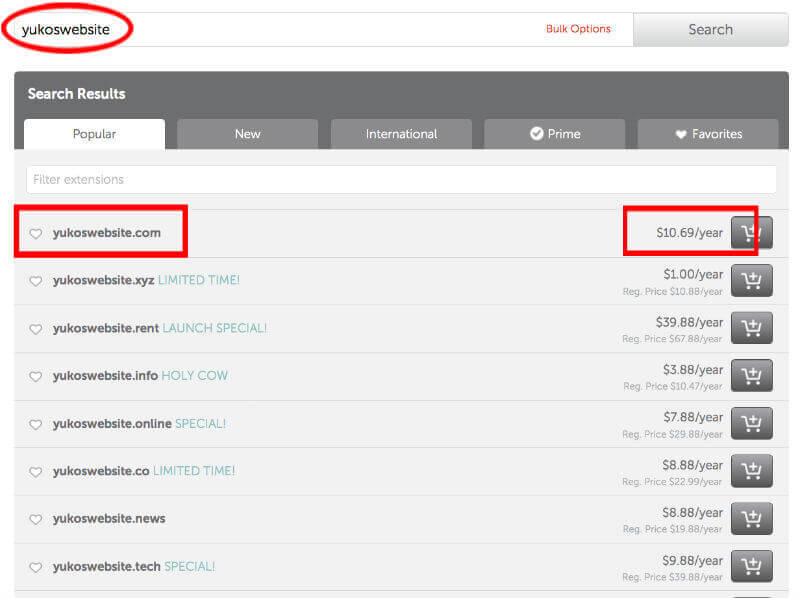
I tried the same domain name “yukoswebsite” at Namecheap to see how much they charge.
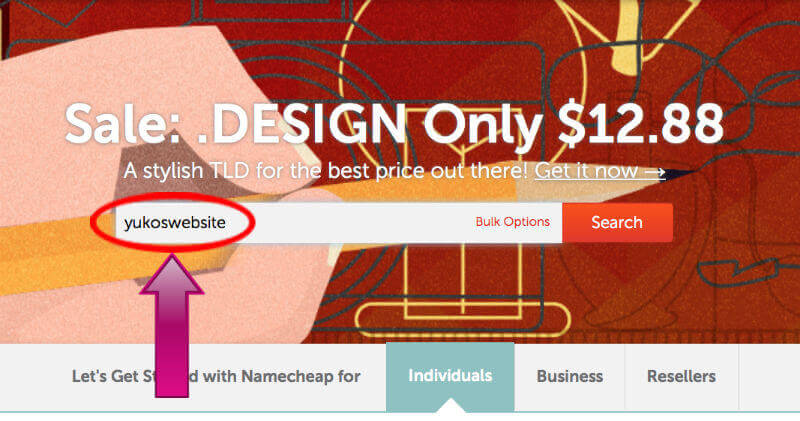
As you can see, they don’t have the first two-year discount that GoDaddy offered. However, the annual fee of $10.69 will be a lot cheaper than $14.99 in the long run, so for this particular domain I would go for Namecheap. In your real search of a domain name, you can keep trying different phrases in the search bar until you find the one that you are truly happy with.
How Do I Purchase a Domain Name?
With the example of “yukoswebsite”, I am going to show you every step as to how I purchase a domain name at Namecheap. Once you click on the domain name that you like, it takes you to the shopping cart as below.
You can see in the screenshot that the “AUTORENEW” is off by default. I definitely recommend you to turn it on. The reason is that if you forget to renew your domain name manually, you are going to lose the entire website! You do not want that to happen after all the hard work you put into the website. You can always turn the auto-renewal off down the road if you no longer want to keep the domain.
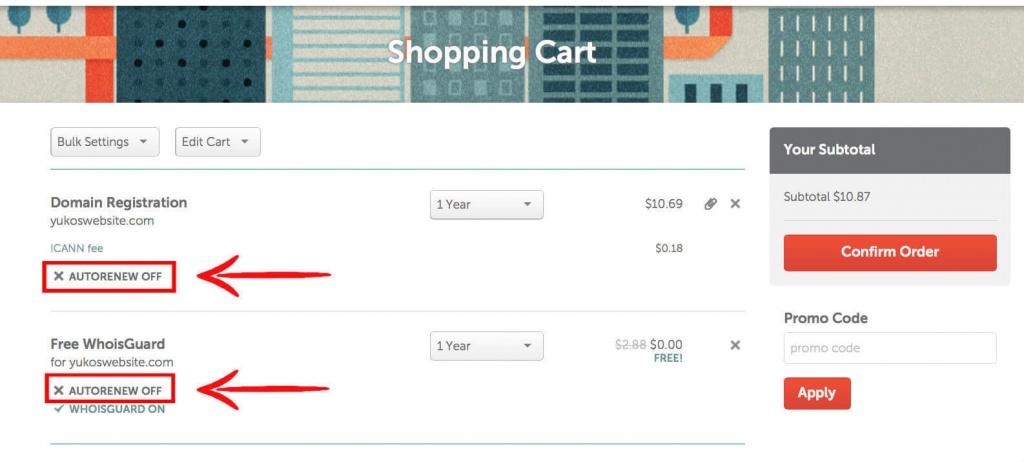
“Free WhoisGuard” is what prevents you from getting solicited by scams looking up your information. The AUTORENEW for “Free WhoisGuard” is off by default too, and I strongly recommend to have it on as well. It is free for the first year and from the second year, it costs $2.88 per year.
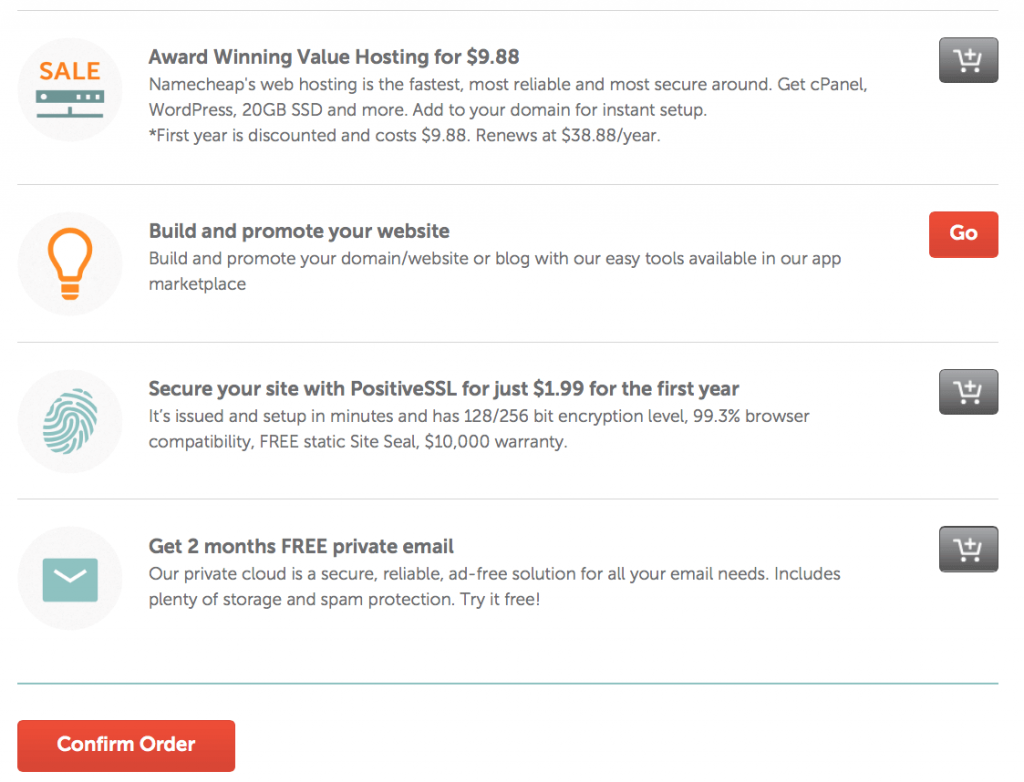
Scroll down the shopping cart page and you’ll see some additional options to purchase as below. These are the only upsells that you will see here at Namecheap.
If you do not have web hosting in place, here is one place to buy it. It says $9.88 first year and $38.88/year after that. I would say it is quite average in terms of price. I’ve never had my sites hosted at Namecheap so I am sorry that I cannot speak from experience how their hosting service is.
I personally do not need hosting with them as I have all my websites hosted at Wealthy Affiliate. Again, if you do not have a web host yet you can purchase at Namecheap. Other than hosting, I don’t think you really need these additional products. Click “Confirm Order” and continue.
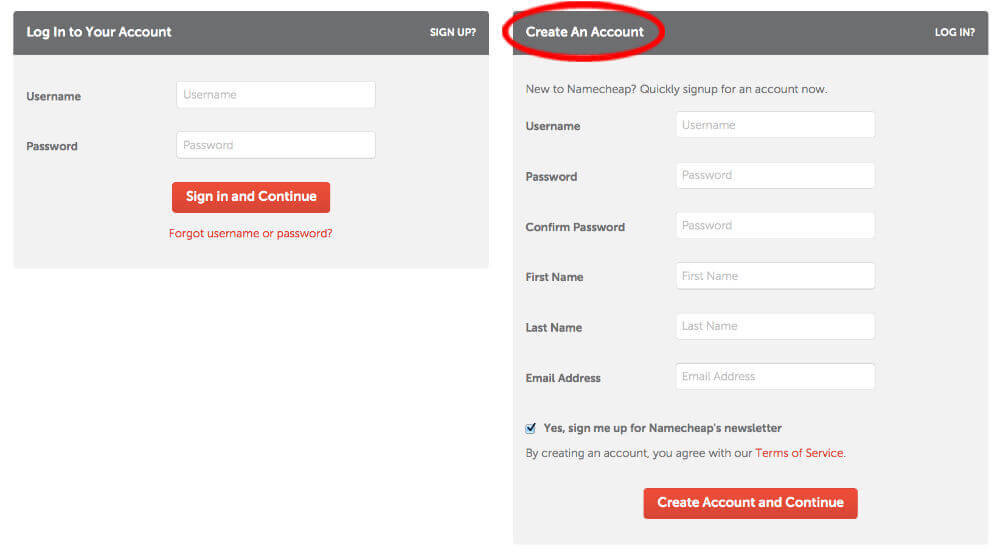
If this is the first time to buy a domain at Namecheap and you don’t have an account with them yet, here you will create one. Having an account with them allows you to access your Dashboard to control all of your domain names registered with them. Simply provide information in the “Create an Account” section. Once you successfully logged in with your account, it will guide you through to complete the payment.
Now your purchase of a domain name is complete. Congratulations, it is officially yours!

What Is a Good Domain Name?
Here are some aspects you might want to keep in mind for coming up with a good domain name.
 The shorter, the better
- Relevant to your niche
- Descriptive of your website’s content
- Have keywords
- Name that you can brand
- Trustworthy (with .com or .org)
- Easy to remember
- Easy to spell
- Easy to say
- Avoid confusion with an existing trademark
- Avoid numbers or hyphen if possible
If you enjoyed this article, please “like” and “share.” If you want to share your personal experience with Namecheap or any other domain registrars, please leave them below. I would love your feedback. Thanks!
Yuko 🙂
Be the first to comment on "How To Purchase Domain Names – Why Do I Need One?"