Nobody wants to read an article that is a sea of words. Remember that online readers are skimmers. Besides, humans are visual by nature, so adding appropriate images is a must to get people to read your content.
But you don’t want to pay for those images when the budget is tight, right? Well, the good news is you don’t have to. In this article, I am going to show you how to get free images for a website. I will also share some important factors you need to be aware of when you use free images in your content.
Where to Get Free Images?
These are the places you can go to get free images for a website.
Pixabay
Free Images
Flickr
Unsplash
StockSnap.io
PhotoPin
Wikimedia Commons
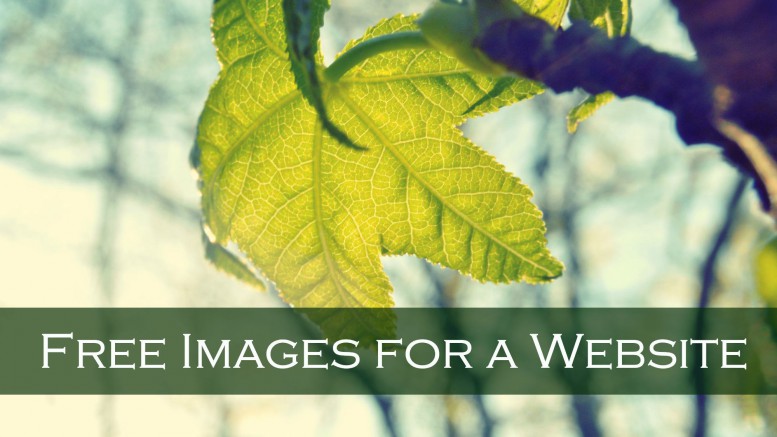
Some of these free images are unbelievably stunning. I feel that it is so generous of the creators to share their wonderful works with us free of charge on the Internet. For instance, I found the photo of the beautiful green leaf in this post at Unsplash. They clearly stated at the Unsplash website that all the photos are completely free to use or modify as we like, so I added the text “Free Images for a Website” to the image and used it as a featured image for this article.

At other websites, however, images may be free to download but they have some conditions attached for you to use them. These conditions are stated on the website, so keep this in mind and always check whether or not there are any specific restrictions for the image. Especially be mindful of Copyrights and Attributions that I discuss below.
1. Copyright
 Make sure that the creator of the image is allowing the use of it copyright free. This is something you have to be careful of particularly when you are making a change to the image. Depending on the condition attached, you might not have the right to use the changed image.
2. Commercial use
Many creators do not mind other people using their images, but they don’t want them used for commercial purposes. As long as you are not making money off of the image, such as printing them onto the products you are selling, then you are ok.
3. Attribution to the Source
Some creators require you to credit the source of the image. Below you see an attribution request attached to an image I found at Wikimedia Commons. Like this, they usually mention how they want to be attributed. For instance, they may ask you to include a text link or a link from the image. Others may require you to include a button within your content/website linked to the source. If you find an attribution request for an image, be sure to follow the instruction.

Creative Commons Search (CC Search) could be a useful site for you to find an image worry-free as it is a search engine with a filtering system. It allows you to filter online resources, including images of course, through specific license combinations you want.

Take Screenshots
Taking a screenshot is another way to get an image you want at no cost. It is exactly what I did with the website image of CC Search above. If you don’t know how to take a screenshot, here is how.
PC: Press “PrntScr (Print Screen)” button
Mac: Press “Shift + Command + 4”
Take Your Own Pics!
You possess all the rights to all the pics you take. Copyright applies as soon as the original image is created, in other words, at the moment you click the shutter on the camera or hit the button on the iPhone or iPad. They are 100% safe to do whatever you want within your website, so be sure to make use of it!

This is the picture I took for a blog post about the keyword tool I use and recommend. I wanted to show my readers how the tool looks on my iPhone. Like this, sometimes an actual photo conveys the exact meaning you wanted to point out rather than hundreds of words describing it. You may not be able to create stunning images like professional photographers do but don’t underestimate the power of real photos.

Lastly, don’t forget about Pinterest! Your visitors cannot share your article on Pinterest if you do not have any images in it! Pinterest is a fast-growing social media that you cannot ignore for your online success. Just like Facebook or Twitter, be sure to make your posts Pinterest-friendly by adding images.
If you know any other places to find good free images for a website, please leave them in the comment section and share with us!
Yuko 🙂
Be the first to comment on "How to Get Free Images for a Website"